Learn. Build. Grow. Create the Freedom You Want.

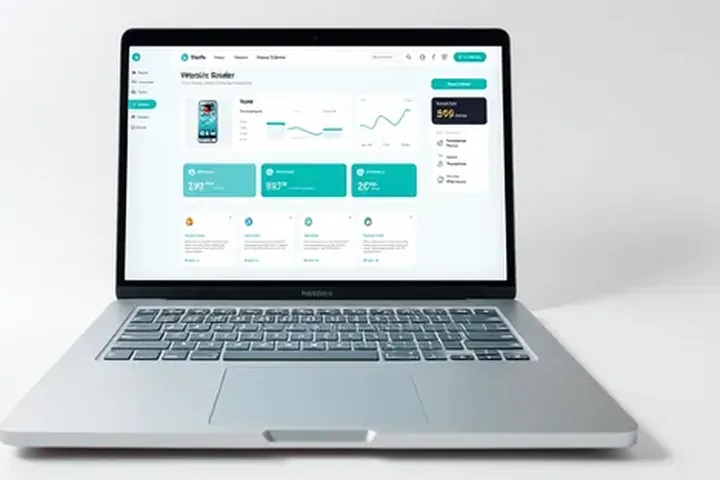
Open laptop on a desk with a tablet, website wireframe sketches, colour swatches and a mug
2026 Guide

Best Website Builders
for Affiliate Marketing

Choose your next step before paying

Build a High-Converting Website for Your Affiliate Business

We compared the best website builders for affiliate marketing based on ease of use, design flexibility, SEO features, pricing structure and practical performance. These are the top platforms to help you create a professional website, attract traffic and promote affiliate offers.

  • Side-by-Side
    Comparison
  • Honest & Unbiased
    Reviews
  • Beginner-Friendly
    Recommendations

Choose the site you need to maintain

Start with your content and update workflow, then check the plan. Keep a separate hosting purchase out of the budget when the chosen service already includes the hosting you need.

Affiliate disclosure: we may earn a commission through the links below at no extra cost to you.

I want a content site on WordPress

Compare hosting, backups, updates and your ability to maintain the site. A visual website-builder plan is not automatically the same product as WordPress hosting.

Compare the hosting and migration job

I want a visual builder

Shortlist Hostinger's builder, then confirm the exact product, full prepaid charge, renewal and export options. Test a real page before committing.

Read the Hostinger builder review

Check Hostinger builder plans (affiliate link, opens in a new tab)

I need a funnel and email workflow

Compare Systeme.io's required pages, domains and automation capacity. Check whether that workflow covers the site you want to publish.

Check the required tier

Check Systeme.io plans (affiliate link, opens in a new tab)
Try one page and one future change before buying

Build a sample article with a heading, image, source link, disclosure and one next action. Check the mobile view, edit the text, change the page address and investigate redirects and export. Mark each required action as tested, failed or still unknown.

Fictional quote example: Builder A charges $120 upfront for 12 months and includes hosting. WordPress hosting B is $72 for 12 months, with a separately required $60 theme: $132 upfront. A is $12 lower for this first-year quote; that alone does not establish which workflow fits. Domain, email, tax and renewal costs still need checking.

Change one input: if B can use an adequate free theme, its quote becomes $72, or $48 below A. Record that actual requirement rather than assuming every site needs the paid theme.

For longer commitments, reuse the full-payment comparison calculator with your own same-currency quotes.

Before paying: record what hosting is included, the domain and email renewal costs, the product's export limits and the whole charge due today. An advertised monthly equivalent may require a long upfront payment.

We may earn a commission if you buy through links on this page, at no extra cost to you. Rankings are editorial. Read our affiliate disclosure.

Quick Comparison: Best Website Builders for Affiliate Marketing

Compare the top website builders side by side. Scroll down for detailed reviews of each platform.

Quick Comparison: Best Website Builders for Affiliate Marketing
#Website BuilderBest ForGet Started
1 WordPress.org Best Overall Get Started (WordPress.org) (opens in a new tab)
2 Systeme.io Best for Beginners Try It (Systeme.io) (opens in a new tab)
3 Wix Best Drag & Drop Builder
4 Squarespace Best for Design
5 Shopify Best for eCommerce
6 Webflow Best for Advanced Users
7 Hostinger Website Builder Best Budget Option Get Started (Hostinger Website Builder) (opens in a new tab)
8 GoDaddy Builder Best for Simplicity

Free: Affiliate Marketing Tools Checklist

What to set up first and what can wait: 24 checks across six tool categories, each with a “done when” test and a lesson. 8-page fillable PDF and web version. We email you the link.

Please enter your first name.

Please enter a valid email address.

  • 100% Free
  • No Spam
  • Unsubscribe Anytime

Which kind of builder do you need?

  1. Will you publish many articles for search? Choose WordPress.org with hosting (compare hosts).
  2. Want pages, email and a free start in one account? Try Systeme.io’s free plan (2,000 contacts and 3 funnels, per its pricing page on October 10, 2026).
  3. Is your niche visual, and would you rather not manage plugins? Look at Wix or Squarespace.

Detailed Reviews of the Best Website Builders

In-depth reviews, key features, pros and cons, pricing structure, and who each website builder is best for.

  1. #1Best Overall

    WordPress.org

    The Most Flexible Website Builder for Affiliate Marketers

    WordPress.org is free, open-source software used by a large share of websites. It gives you complete control, thousands of themes and plugins, and the flexibility to build any type of affiliate website; you add your own hosting and domain.

    • Full control & customization
    • SEO-friendly
    • Thousands of themes & plugins
    • Perfect for affiliate websites
    • Large community support
    • Scales with your business
    Illustrative laptop mockup of a generic website editor (not the actual WordPress.org interface)
    • Free, open-source software
    • Unlimited design flexibility
    • Best for long-term growth
    • Huge plugin ecosystem
    • Steeper learning curve for beginners
    Get Started with WordPress (opens in a new tab)

    Requires hosting (see our web hosting guide).

    Compare WordPress Hosting
  2. #2Best for Beginners

    Systeme.io

    All-in-One Platform for Affiliate Marketers

    Systeme.io makes it easy to build a complete affiliate website with landing pages, email marketing, funnels and online courses, all in one place. It's beginner-friendly and a practical choice for those just starting out.

    • Drag & drop website builder
    • Built-in email marketing
    • Sales funnels
    • Online courses
    • No technical skills required
    • All-in-one platform
    Illustrative laptop mockup of a generic all-in-one website builder dashboard (not the actual Systeme.io interface)
    • All-in-one platform
    • Beginner-friendly
    • Great for affiliate marketers
    • Email and funnels built in
    • Limited design customisation
    Try Systeme.io (opens in a new tab)

    Check current plans and pricing on the official site.

    Read Full Review of Systeme.io
  3. #3Best Drag & Drop Builder

    Wix

    Easy-to-Use Website Builder with Stunning Templates

    Wix is a hosted, beginner-friendly website builder with a drag-and-drop editor and a large library of professional templates. It's a great option for affiliate marketers who want a polished website without any coding.

    • Drag & drop editor
    • Large template library
    • SEO tools
    • App market
    • Built-in hosting
    • Blog features
    Illustrative laptop mockup of a generic drag-and-drop website editor showing a stylish portfolio homepage template (not the actual Wix interface)
    • Easy to use
    • Beautiful templates
    • Good SEO features
    • Hosting included
    • Less flexible than WordPress

    Check current plans and pricing on the official site.

  4. #4Best for Design

    Squarespace

    Design-Focused Website Builder

    Squarespace is a design-focused hosted website builder with polished templates, blogging tools and built-in commerce features, well suited to visual niches.

    • Designer templates
    • Blogging tools
    • Built-in commerce
    • Image galleries
    • Hosting included
    • Analytics
    Illustrative laptop mockup of a generic elegant website builder editor (not the actual Squarespace interface)
    • Beautiful designs
    • All-in-one hosting
    • Great for visual niches
    • Simple blogging
    • Fewer plugins

    Check current plans and pricing on the official site.

  5. #5Best for eCommerce

    Shopify

    Ecommerce Platform for Online Stores

    Shopify is an ecommerce platform for building online stores. For affiliates it is most useful when you also sell your own products, alongside blogging and marketing features.

    • Online store builder
    • Payment processing
    • App store
    • Blog features
    • Inventory tools
    • Themes
    Illustrative laptop mockup of a generic online store builder dashboard (not the actual Shopify interface)
    • Great for selling products
    • Large app store
    • Reliable hosted platform
    • Good for hybrid sites
    • Not built for pure content

    Check current plans and pricing on the official site.

  6. #6Best for Advanced Users

    Webflow

    Visual Website Builder with a Built-in CMS

    Webflow is a visual website builder that gives designers fine control over layout and interactions, with a built-in CMS for blogs and content collections.

    • Visual designer
    • Built-in CMS
    • Interactions
    • Clean code output
    • Hosting included
    • SEO controls
    Illustrative laptop mockup of a generic visual web design tool (not the actual Webflow interface)
    • Design freedom
    • Powerful CMS
    • Clean, fast sites
    • Great for designers
    • Learning curve

    Check current plans and pricing on the official site.

  7. #7Best Budget Option

    Hostinger Website Builder

    Simple Builder Bundled with Hosting

    Hostinger Website Builder is a drag-and-drop builder with AI-assisted tools, bundled with Hostinger's hosting, which makes it a simple, low-cost way to launch a small site.

    • Drag & drop editor
    • AI-assisted tools
    • Hosting included
    • Templates
    • Blog features
    • Ecommerce option
    Illustrative laptop mockup of a generic simple website builder editor (not the actual Hostinger Website Builder interface)
    • Budget-friendly
    • Simple editor
    • Hosting bundled
    • Quick launch
    • Fewer advanced features
    Try Hostinger Builder (opens in a new tab)

    Check current plans and pricing on the official site.

    Read Hostinger Review
  8. #8Best for Simplicity

    GoDaddy Builder

    Quick, Simple Website Builder

    GoDaddy's website builder lets you create a simple site quickly with guided setup and built-in marketing tools, which suits very small affiliate projects.

    • Guided setup
    • Mobile editing
    • Marketing tools
    • Templates
    • Hosting included
    • SSL included
    Illustrative laptop mockup of a generic simple website builder (not the actual GoDaddy Builder interface)
    • Very simple
    • Fast to launch
    • Guided setup
    • Marketing tools
    • Limited flexibility

    Check current plans and pricing on the official site.

Comparison Table: The Best Pick for Each Goal

Not sure where to start? Find your goal in the left column and go straight to the tool that fits it best.

Best pick for each goal
If you want to…Our pickWhy it fitsStarting costLearn more
Build a long-term content and SEO siteWordPress.orgFull control, flexible themes and plugins.Software free; hosting extraCompare WordPress Hosting
Launch fast with email and funnels includedSysteme.ioAll-in-one and beginner-friendly.Free plan $0 (2,000 contacts); Startup $17/monthRead Full Review of Systeme.io
Design visually without codeWixDrag-and-drop editor with many templates.Check current price
Showcase a visual niche beautifullySquarespacePolished, design-led templates.Check current price
Sell your own products tooShopifyEcommerce first, with blog features.Check current price
Get pixel-level design controlWebflowVisual designer with a built-in CMS.Check current price

Systeme.io prices from its pricing page on October 10, 2026 (US dollars). Hosting for WordPress.org is compared in the best web hosting. “Check current price” means we have not verified it yet.

How to Choose a Website Builder

Think about how your site will grow before you pick a platform.

Pros and Cons of Website Builders

Hosted builders and self-hosted WordPress each have trade-offs for affiliate sites.

Pros

  • Fast setup with templates
  • Hosting, security and updates handled for you
  • No coding needed
  • Built-in tools for forms, blogs and stores

Cons

  • Less control than self-hosted WordPress
  • Moving to another platform can be hard
  • Advanced SEO and plugins can be limited
  • Costs can grow with add-ons

Frequently Asked Questions

What is the best website builder for affiliate marketing?

WordPress.org is our best overall pick for long-term affiliate sites because of its flexibility, SEO options and ownership. Systeme.io is the easiest all-in-one start for beginners.

Can I do affiliate marketing with Wix or Squarespace?

Yes. Both let you publish content with affiliate links. They are easier to start with than WordPress but offer less flexibility and fewer SEO plugins.

Is WordPress.org free?

The WordPress software is free and open source. You pay for hosting and a domain, plus any premium themes or plugins you choose.

Do I need coding skills to build an affiliate website?

No. All of these builders use visual editors or themes. Coding helps for advanced customisation, but it isn't required to publish a professional site.

Can I move my site to another platform later?

Moving from hosted builders can be difficult because content and design are tied to the platform. WordPress gives you the most freedom to move hosts.

Do you earn money from these recommendations?

Yes. Some links on this page are affiliate links, so we may earn a commission if you buy through them, at no extra cost to you. Rankings are editorial and are not sold; read our affiliate disclosure for details.

Final Thoughts

WordPress.org is the most flexible choice for long-term affiliate websites, Systeme.io is the quickest all-in-one start, and Wix or Squarespace suit people who want a polished site without technical setup.

Choose the platform you can grow with, publish helpful content consistently and keep your affiliate disclosures clear.

Educational content only. Results vary and no income is guaranteed; see our earnings disclaimer and affiliate disclosure.

Ready to Build Your Affiliate Website?

Get the free Affiliate Marketing Tools Checklist: what to look for in each tool category, and what can wait.